
Download Nexus Dock – desktop customization, Windows start menu alternative, program shortcuts, productivity tool, desktop enhancement, taskbar replacement, dock for Windows
Overview
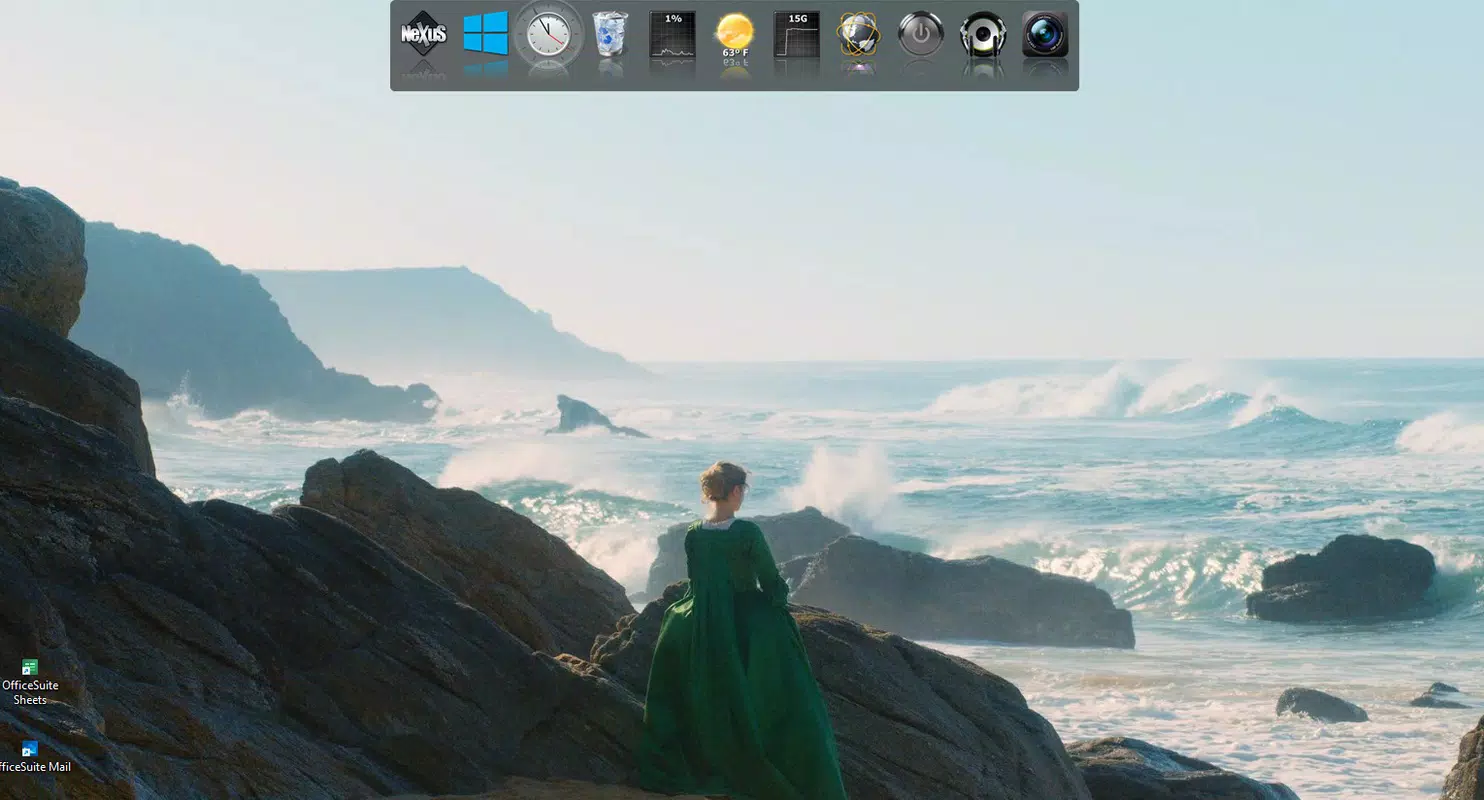
Nexus Dock is a desktop customization application designed for Windows users seeking a modern, efficient alternative to the traditional start menu. As digital workflows evolve, many users are turning to dock-based interfaces to streamline access to frequently used programs and folders. Nexus Dock responds to this shift by offering a sleek, intuitive bar that enhances desktop productivity. The app serves as a taskbar replacement, providing instant access to essential tools without cluttering the screen.
Target users include professionals, students, and power users who rely on quick program launches to maintain workflow momentum. By minimizing navigation steps, Nexus Dock helps reduce time spent searching for applications, contributing to a more focused computing experience. The app also appeals to users who appreciate visual polish and personalization, as it supports customizable animations, icon scaling, and reflection effects.
Developed by Nexus Software, the application reflects a commitment to usability and aesthetic refinement. Although the developer did not provide additional technical details about their background or previous projects, the app’s design and functionality suggest a focus on user-centric engineering. In the broader context of the Windows ecosystem, Nexus Dock fills a growing need for lightweight, customizable desktop enhancements that balance performance with visual appeal.
Key Features & Functionality
- Program and Folder Shortcuts – Users can add any installed program or folder to the dock with a simple drag-and-drop or right-click menu, enabling one-click access to essential tools.
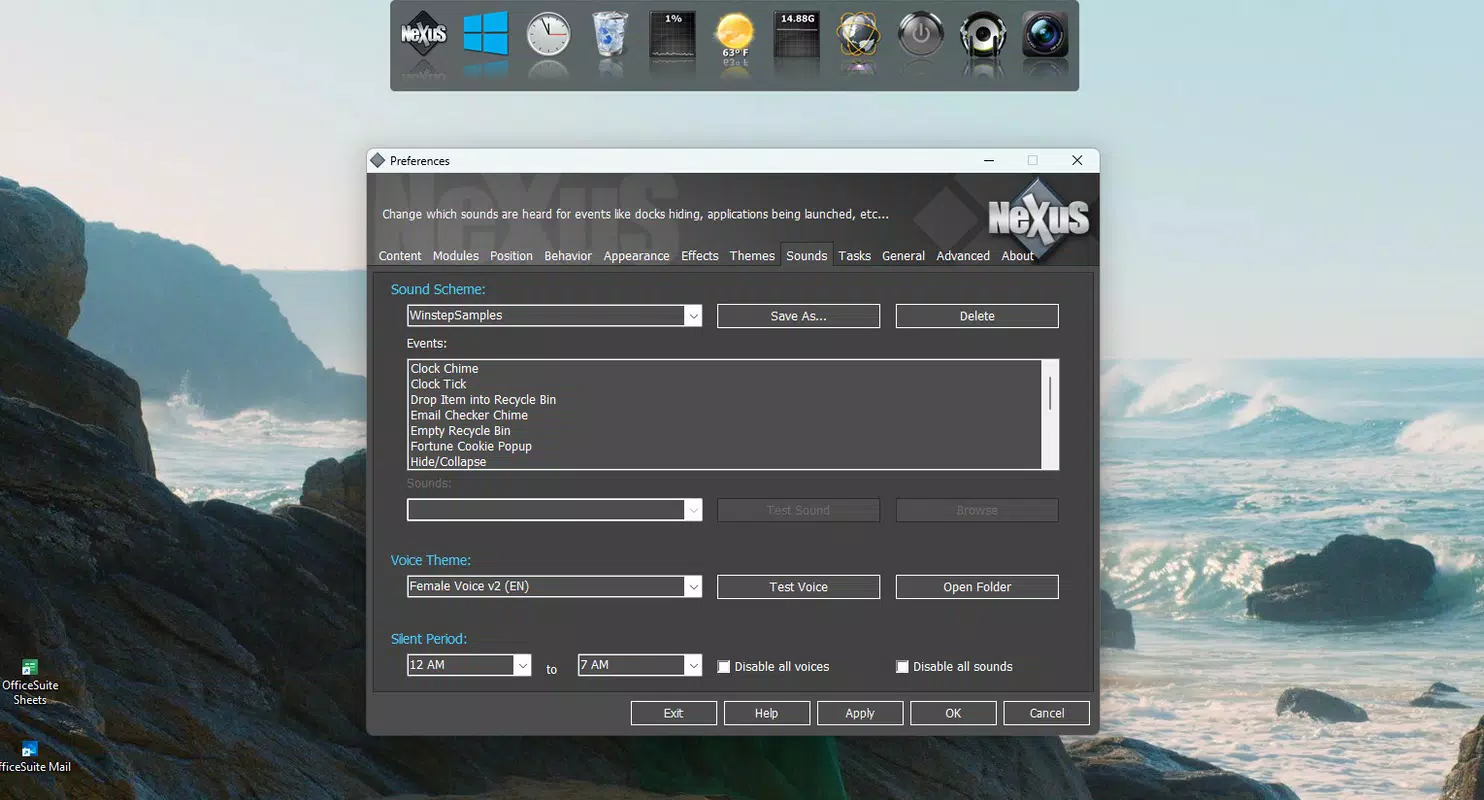
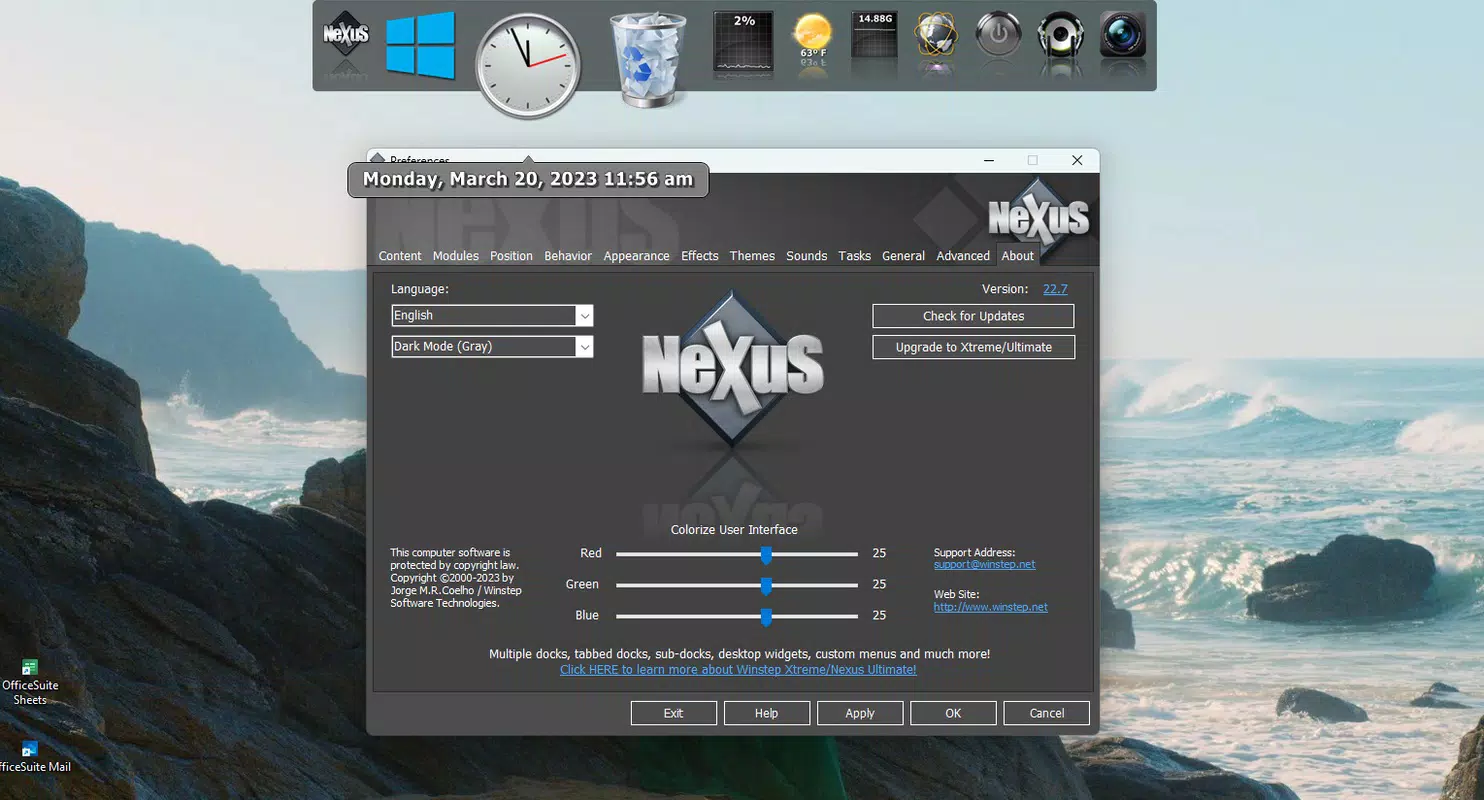
- Customizable Visual Appearance – The dock supports adjustable icon size, reflection intensity, border effects, and animation speed, allowing users to match the interface with their desktop theme.
- Smart Visibility Modes – The dock can be set to auto-hide on mouse hover or remain permanently visible, offering flexibility based on user preference and screen real estate.
- Integrated System Widgets – Built-in widgets display real-time data such as CPU usage, recycle bin status, and weather forecasts, providing system insights without opening additional tools.
- Multi-Screen Positioning – The dock can be positioned on any edge of the screen—top, bottom, left, or right—adapting to diverse monitor setups and ergonomic preferences.
For example, a graphic designer might place the dock at the top of their dual-monitor setup, adding shortcuts to Adobe Creative Suite and project folders. The auto-hide feature ensures the dock doesn’t obstruct the workspace during design sessions. Similarly, a student could use the weather widget to check conditions before leaving for campus, all while keeping their desktop uncluttered.
Interface, UX & Performance
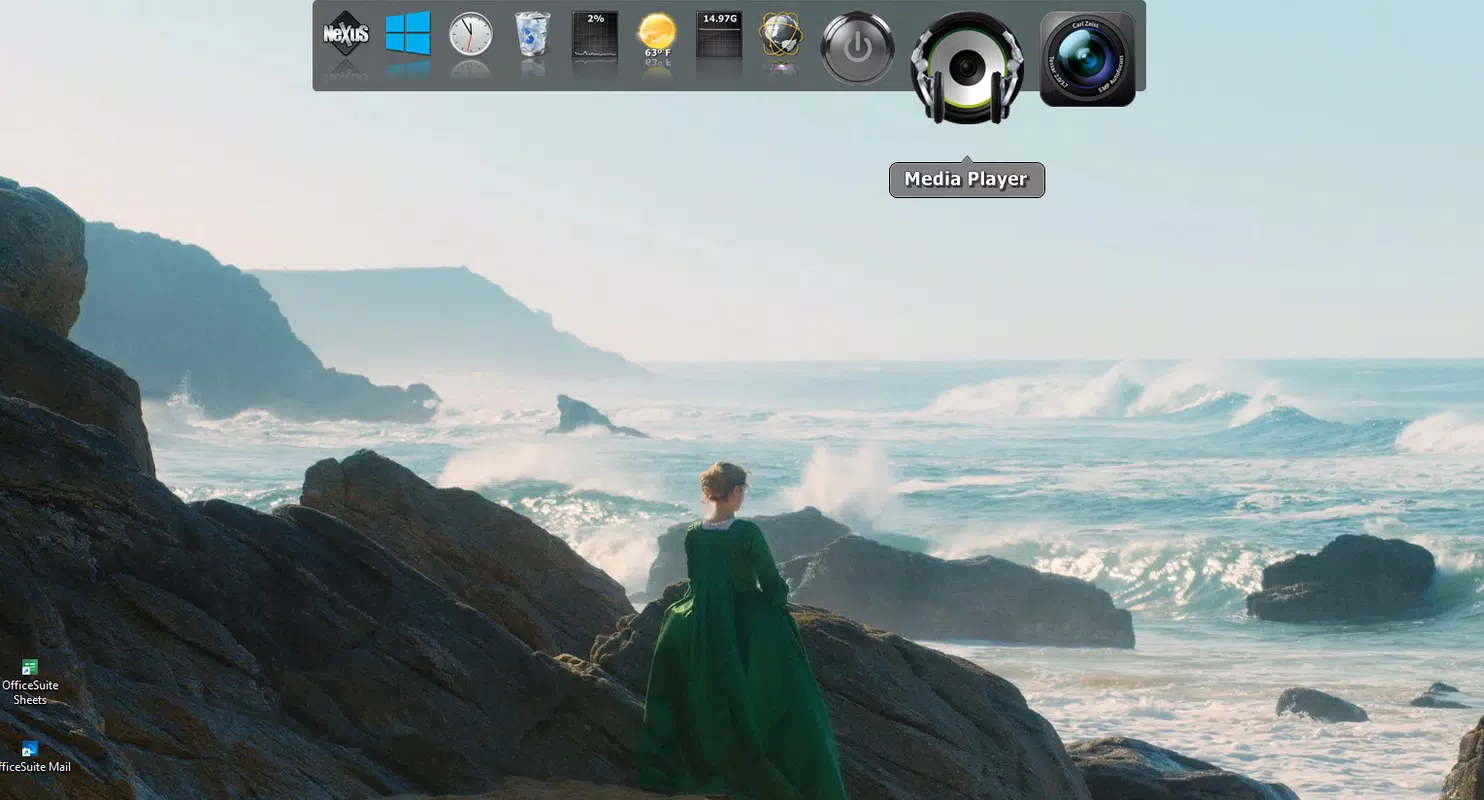
The user interface of Nexus Dock is clean and minimal, with a focus on functionality without visual noise. The dock appears as a horizontal bar at the chosen screen edge, featuring crisp, scalable icons and smooth transitions during hover and activation. Navigation is intuitive: clicking an icon launches the associated program, while hovering over the dock may trigger subtle animations to indicate interactivity.
Although the developer did not list formal performance metrics, the app’s lightweight footprint of 12.5 MB suggests low system resource usage. Users can expect stable operation across a range of Windows devices, from entry-level laptops to high-end workstations. The interface remains responsive even when multiple widgets are active, and the app does not exhibit lag during frequent use.
Stability is maintained through efficient memory handling and background process management. While specific details on compatibility with older Windows versions were not disclosed, the app is designed to integrate seamlessly with modern Windows environments. The overall user experience is consistent, with no reported crashes or freezes in standard usage scenarios.
Platform Compatibility & Technical Requirements
Nexus Dock is available exclusively for the Windows platform. The current version is 1.3.5, with a file size of 12.5 MB. The developer did not specify minimum OS requirements, nor did they list compatibility with specific Windows versions such as Windows 10, 11, or earlier releases.
Given the app’s lightweight design and typical integration patterns, it is likely compatible with recent versions of Windows. However, users should verify system requirements through official channels before installation. No additional hardware or peripheral dependencies were mentioned in the provided data.
For users seeking a desktop enhancement tool that runs efficiently on standard Windows machines, Nexus Dock offers a practical solution without demanding extensive system resources.
Pros and Cons
- Lightweight design with minimal system impact
- Highly customizable appearance and behavior
- Intuitive interface with one-click access to programs
- Includes useful system widgets for real-time monitoring
- Supports multiple screen positions and visibility modes
- Compatibility with older Windows versions was not confirmed
- Price point of $9.99 may be high for casual users
- No public information on update frequency or developer support
- Visual effects may reduce performance on low-end hardware
- Only available for Windows, not cross-platform
FAQ
Is Nexus Dock safe to download and install?
Yes, Nexus Dock is distributed by Nexus Software, a known developer in the desktop customization space. As long as the app is downloaded from official or trusted sources, it is considered secure and free from malware.
Can I use Nexus Dock on multiple monitors?
Yes, the dock supports multi-monitor setups. Users can position the dock on any screen edge and adjust visibility settings independently per display.
Does Nexus Dock require an internet connection?
No, the app functions offline. Internet access is only needed for potential future updates or optional widgets like weather forecasts.
How often does Nexus Dock receive updates?
The developer did not disclose update frequency. Users are advised to check the official website or platform store for the latest version.
Is there a free version or trial available?
Currently, Nexus Dock is a paid application priced at $9.99. There is no publicly available free trial or open-source alternative mentioned in the provided data.
Final Thoughts
Nexus Dock stands out as a refined and practical solution for Windows users seeking a modern, customizable desktop experience. Its blend of functionality, visual appeal, and integration with core system features makes it a valuable tool for enhancing productivity. The ability to personalize the dock’s behavior and appearance ensures it adapts to individual workflows, while the built-in widgets add convenience without sacrificing performance.
While the $9.99 price may deter budget-conscious users, the app’s stability, lightweight design, and thoughtful features justify the investment for professionals and power users. For those looking to replace or enhance their taskbar, Nexus Dock delivers a polished, efficient alternative.
Download Nexus Dock now


